Checkmk Attributes and Host Tags
The Syncer can set any Checkmk host attribute — including built-in attributes like IP address, management board, and SNMP community, as well as custom host tags.
All of this is configured in: Modules → Checkmk → Set Folder and Attributes of Host
Ready-made actions for common attributes
For the most common host attributes — IP address family (e.g. no-ip), IPv4/IPv6 address, Checkmk agent, SNMP, Piggyback, Criticality, Networking segment, Alias and Monitored-on-Site — there are dedicated actions with one-click value suggestions, so you do not need to know the attribute key. See Built-in Host Attributes. Use Custom CMK Attribute (below) for everything else.
Finding the Attribute Name
If you do not know the exact attribute name, set the attribute manually on a host in Checkmk and then query that host via the Checkmk Swagger API.
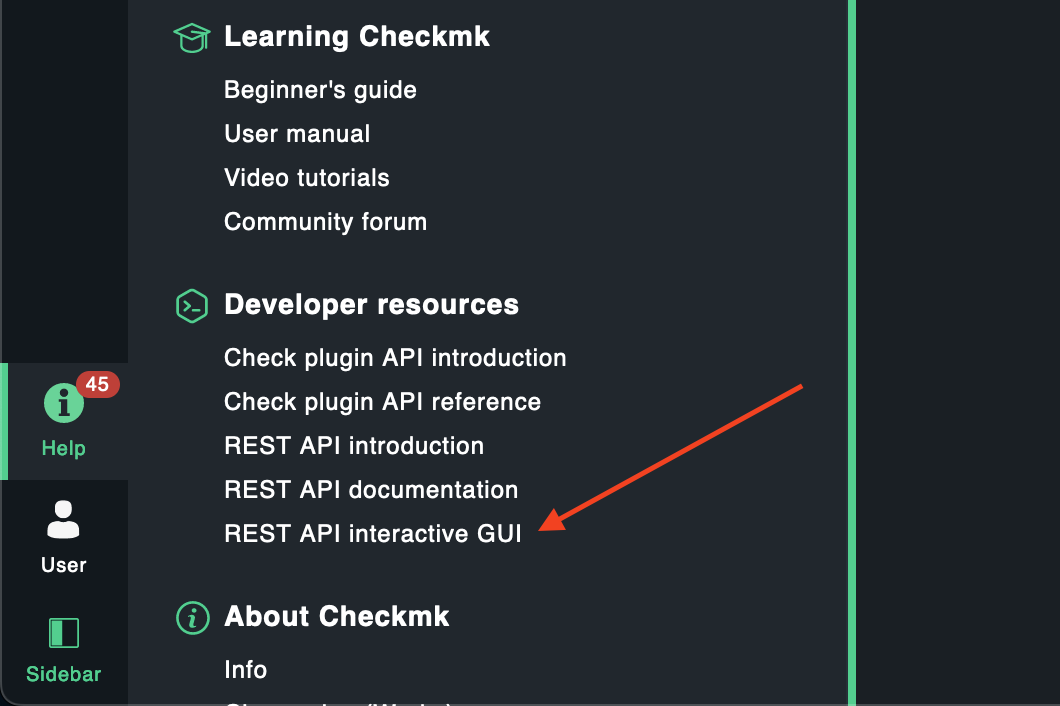
Open the Swagger documentation:
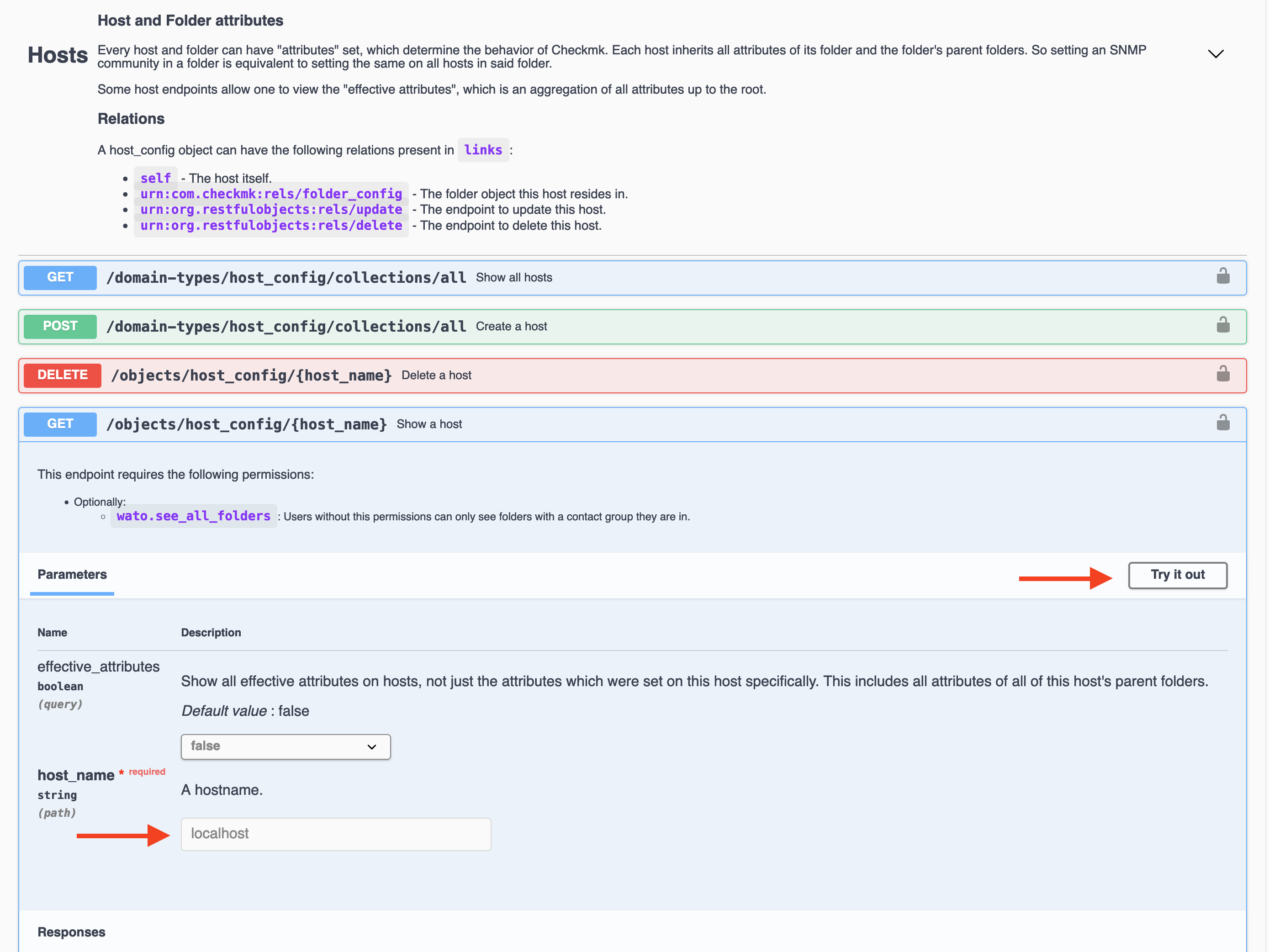
Find and test the host endpoint:
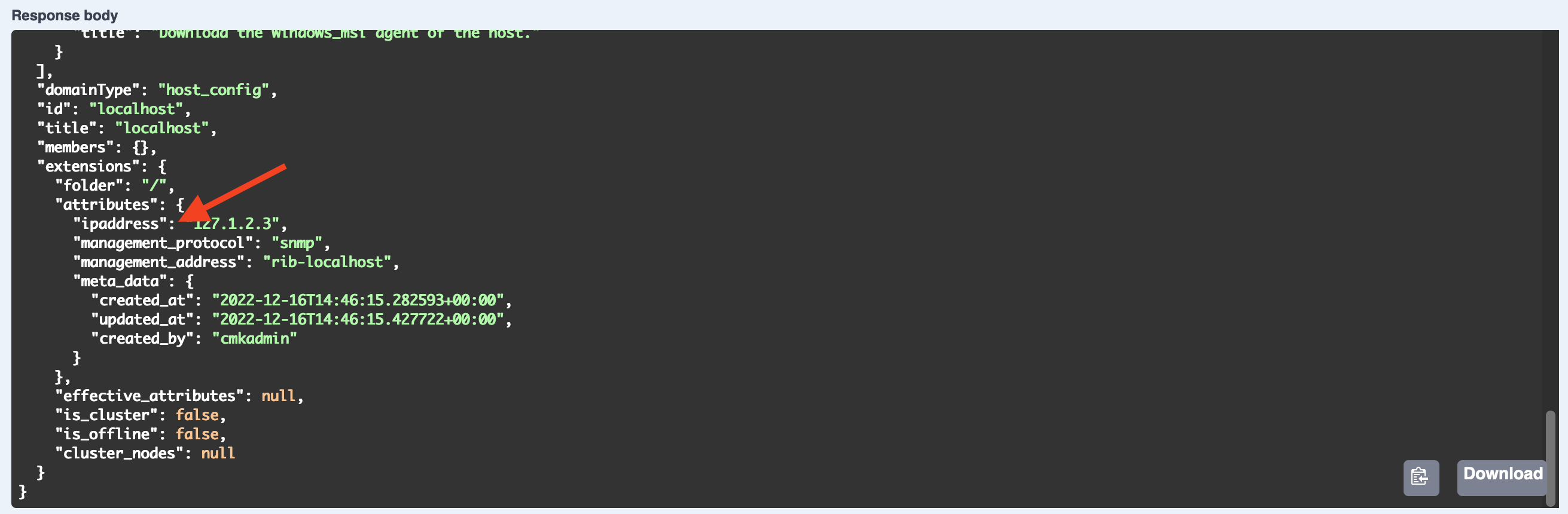
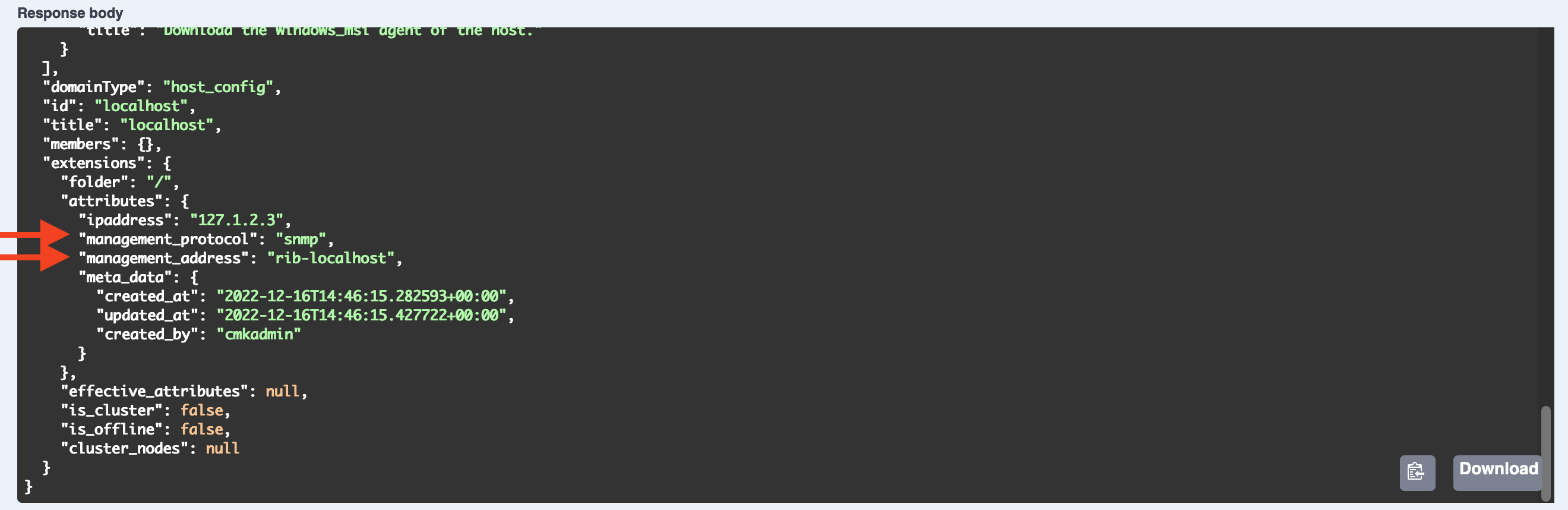
The response JSON shows you the attribute names as used by the API.
Setting an IP Address
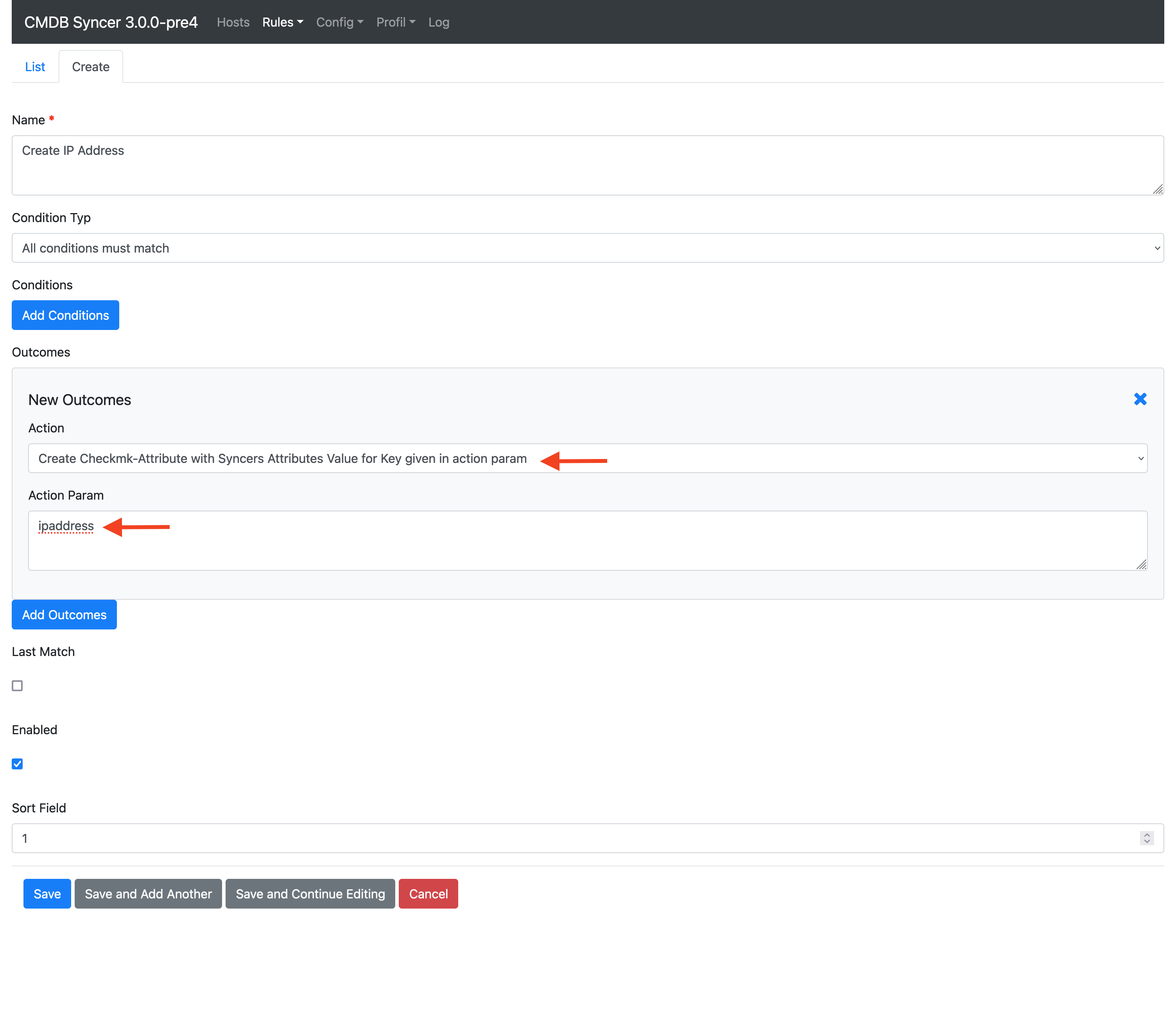
The quickest way is the ready-made IPv4 Address (or IPv6 Address) action — just enter the address (Jinja like {{ip}} works too). Alternatively you can set it with the Custom CMK Attribute action:
Because in the Checkmk API, the attribute looks like this:
Setting the Management Board
Use the Custom CMK Attributes action to create attributes with a value derived from the hostname:
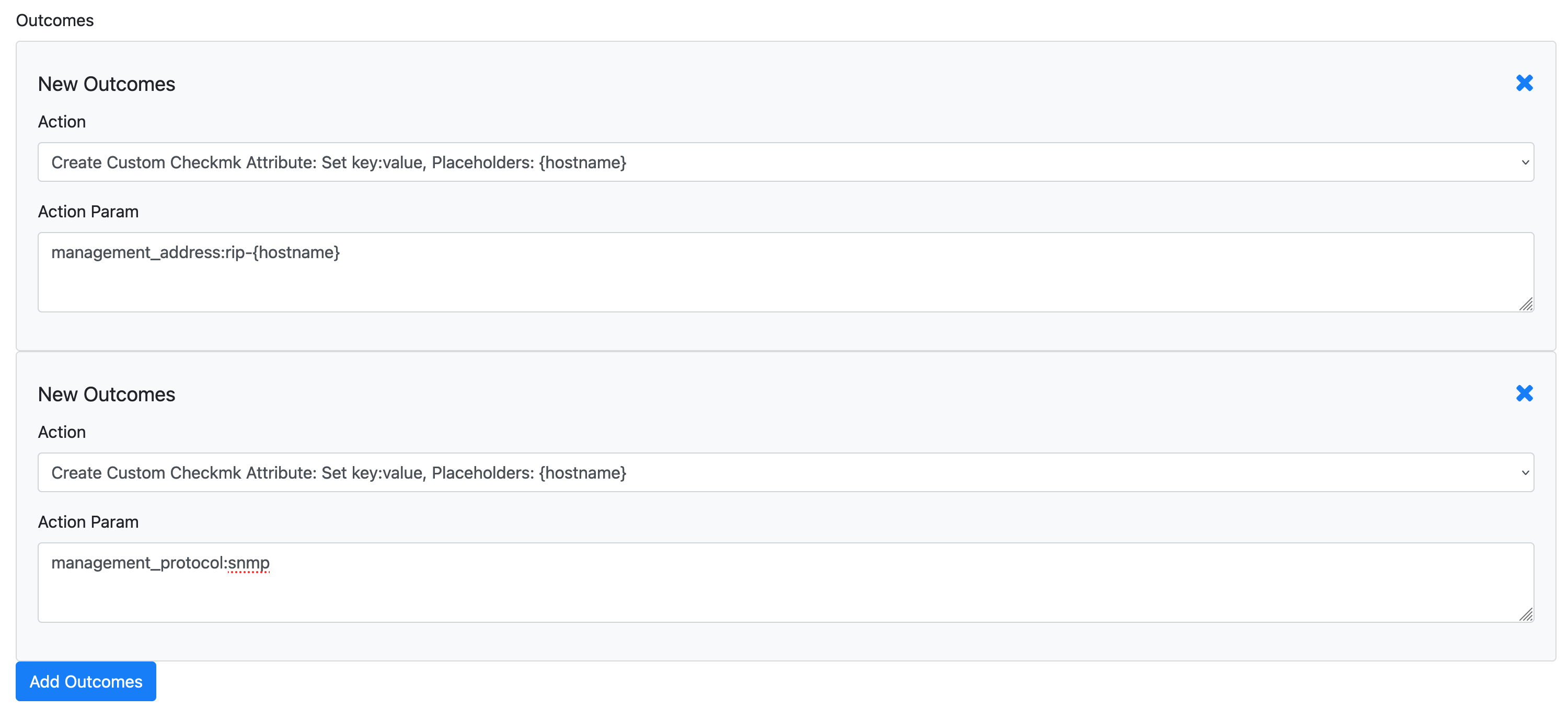
In Checkmk, the management board requires two attributes — make sure to add both as separate outcomes in the same rule.
Setting Nested Attributes (e.g. SNMP Community)
Some Checkmk attributes are dictionaries. The Syncer detects this format and sends it correctly. Example for SNMP community:
snmp_community:{
"type": "v1_v2_community",
"community": "public"
}
Note that the key (snmp_community) does not use quotes in this syntax.
Unsetting an Attribute
If the value of an attribute is None or False, the Syncer automatically removes it from the host in Checkmk. However, the Syncer does not remove an attribute simply because it has disappeared from its own database — since Checkmk users can also set attributes manually, the Syncer cannot tell whether an attribute was set by it or by a user.
Use the Remove given Attribute if not assigned action in export rules to explicitly manage attribute cleanup.
Host Tags
Host tags are attributes in Checkmk too — they use their tag group ID as the attribute key. Set them the same way as any other attribute using the CMK Attribute action.
For managing the tag group definitions themselves (the list of possible values), see Host Tags.